

AI Workforce Activation · A Deviare service
Your team already does the work. Now they can get paid to show AI how it's done.
AI is learning to do practical jobs, and it learns by watching skilled people. Your staff wear a light head camera, do their normal work for a few hours, and get paid. We handle everything else.



Why it matters
AI has seen a lot of the world. It has barely seen ours.
AI learned mostly from websites, and most of the web is in English, from rich countries. So AI often gets our languages, our products and our way of working wrong. To fix that, it has to see real South African work.
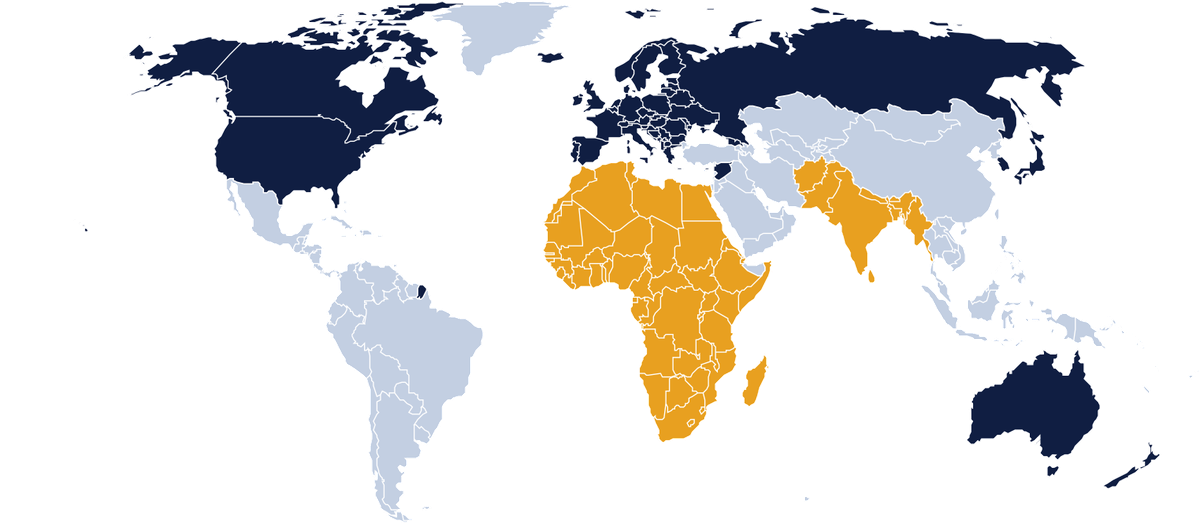

That gap is the opportunity. Your team's everyday skill, in your workplace, is exactly what AI is missing. And people get paid to share it.
Map shading is indicative. Sources: Common Crawl language statistics (Jan 2026); United Nations World Population Prospects 2024.
What's in it for you
Small, simple and worth your while.
You give us one corner of your business for a few hours. Here is what everyone gets back.

For you, the owner
A paid pilot that runs around you.



For your staff
- Extra money, paid on agreed dates
- New digital skills
- A work record they can show future employers
- A chance to grow into checking and supervising

For your customers
- Never the focus of the camera
- Faces, number plates and payment screens kept out
- Clear signs so everyone knows

For your community
- Paid work for local youth and TVET graduates
- South African skill inside world-class AI
How it works
Four steps. No fuss.
 Step 1
We visit
A 30-minute walk to see your space and pick the jobs to film.
- Step 2
We set up
We bring the kit, put up signs, train your staff and agree pay in writing.
- Step 3
Your team works
Staff do their normal job wearing the head camera, in short clips.
- Step 4
Everyone is paid
We check the clips, pay your staff and send you a short report.
The head camera
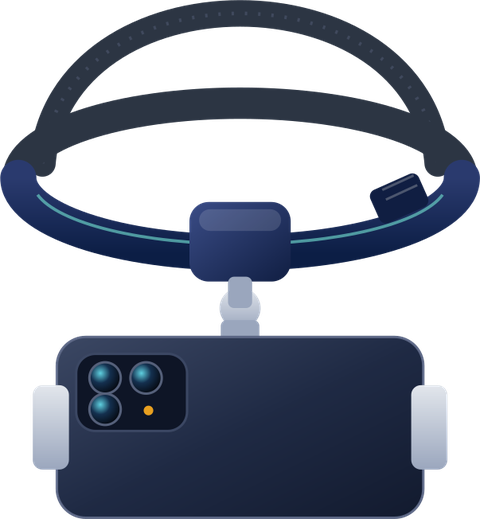
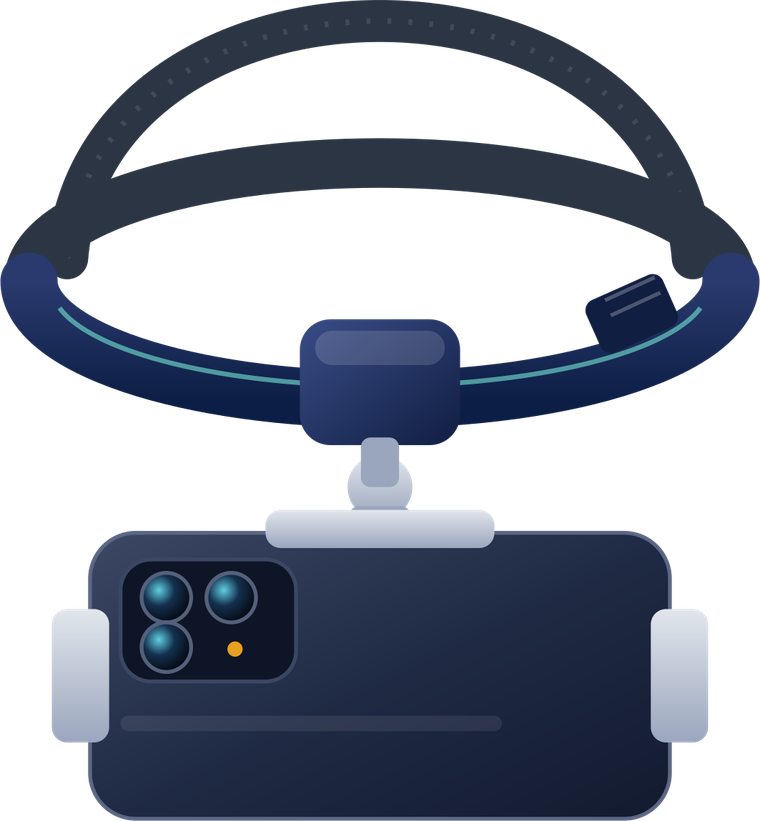
- Soft, adjustable headbandWith a top strap so it stays put.
- Holds most phonesFits phones from about 4 to 7 inches.
- Films hands and toolsPhone sits sideways, hands stay free.
- Light, about 80 gComfortable for a normal shift.
The app on the phone
Three taps and your staff are recording. We train them on the day.
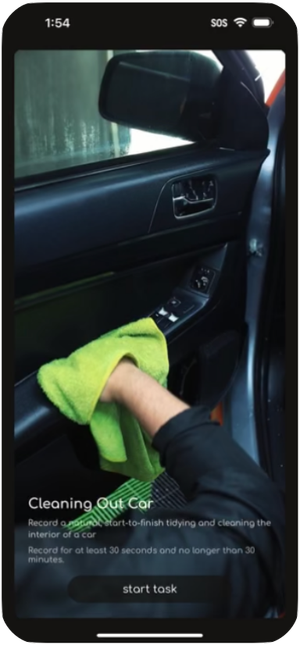
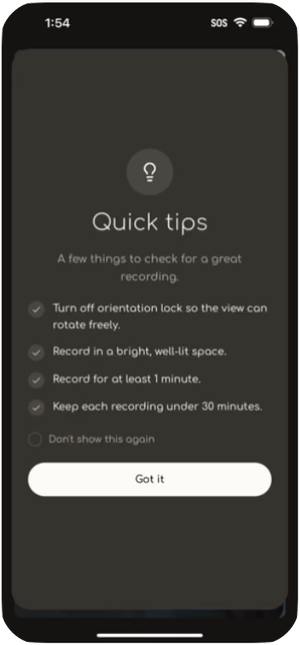
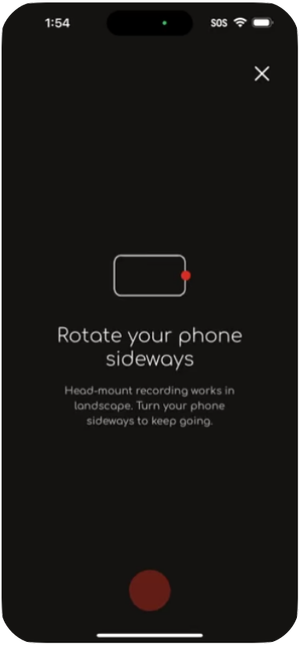
See it in action
A morning at the car wash. Business as usual, recorded.
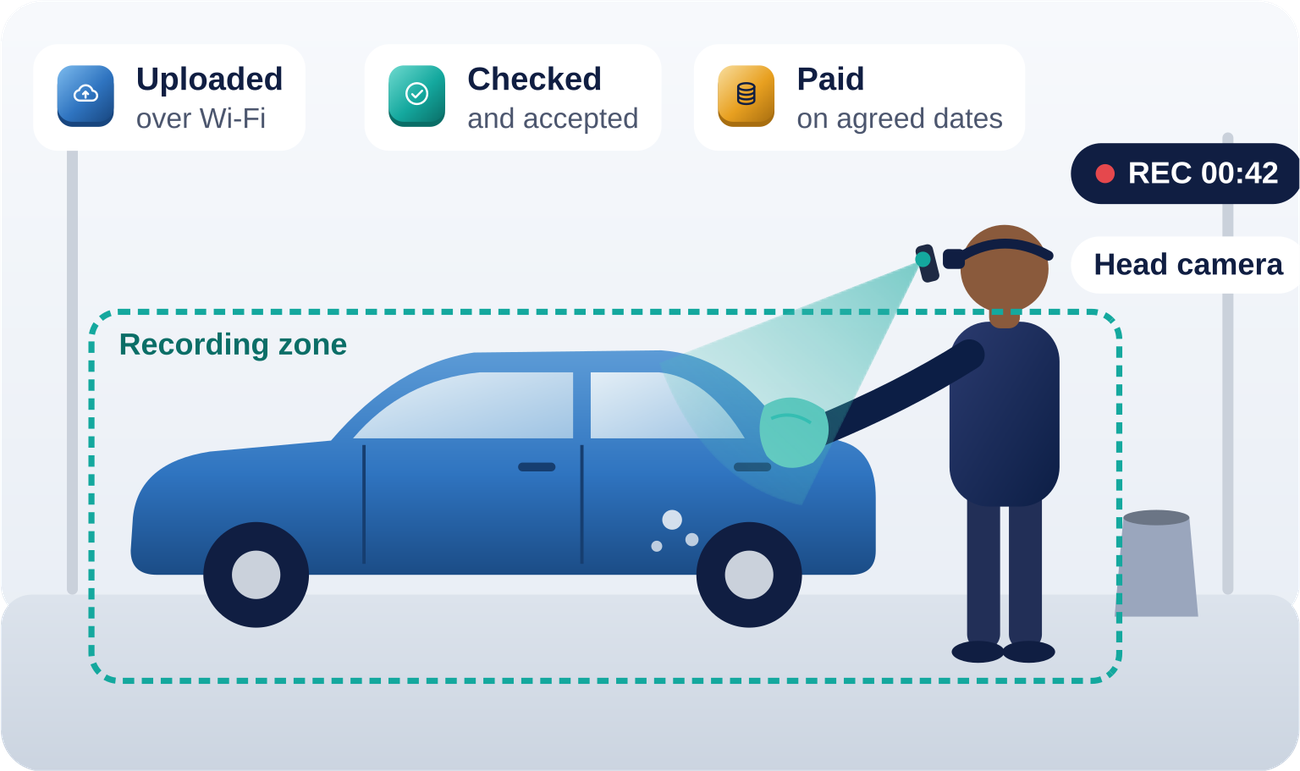
- 107:30Walk the bayAgree the area, the jobs and which cars may be filmed.
- 208:00Gear upHead camera on. Job picked in the app. Quick checks.
- 308:15Wash as normalInside and outside cleaning, in clips of 1 to 30 minutes.
- 412:00UploadClips sent over Wi-Fi. Kit packed away.
- 5LaterCheckedOur team checks every clip before it is accepted.
- 6PaydayEveryone paidStaff paid on agreed dates. You get your report.

Run a filling station? Same idea: windscreens, oil and tyre checks, forecourt service. One owner can run it across several sites.
Businesses like yours
If your team works with their hands, you can take part.
These are the kinds of everyday jobs AI needs to learn. Your staff simply do them as they always do.

Car wash and valet
Washing, drying and cleaning car interiors
Filling station
Windscreens, oil checks and tyre pressure

Mechanic and panel shop
Changing wheels, servicing, fitting parts

Kitchen and takeaway
Chopping, cooking, plating and packing food
Cleaning company
Floors, offices, kitchens and bathrooms

Warehouse and packing
Sorting, packing and labelling stock

Guesthouse and hotel
Making beds, cleaning rooms, laundry

Builders and plumbers
Fitting pipes, tiling, carpentry, wiring

Farm and nursery
Planting, picking, pruning and packing
The best jobs to film are
- Done often, by hand
- Done by experienced staff
- Done in one safe area
- Done away from customers
The exact jobs depend on what is open at the time. We confirm them with you before anyone starts.
Capture platform guide
Deviare Capture, step by step.
Deviare Capture is where every recording is made, uploaded, checked and counted for pay. Participants use the mobile app; Deviare supervisors and reviewers use the web console.
Getting set up
No account is created until you have passed onboarding: identity, age, right to work, bank details, pay terms, and a signed notice and consent.
- Invite. Deviare sends an invite to your verified mobile number. One person, one account; accounts are never shared.
- Link identity. Your account carries a Deviare contributor ID, not your ID number. Personal documents stay in Deviare's restricted files.
- Install and sign in. Install the app, set a PIN and turn on your phone's screen lock.
- Check the device. Your supervisor confirms the phone is on the approved list, has enough free storage for a full session, and that orientation lock is off.
- Fit the head mount. Adjust the band so the phone sits sideways and level and shows your hands and work surface. Check it fits with the site's PPE.
- Training clip. Record one practice clip with your supervisor. It is not uploaded.
Recording and uploading
- Choose the job. Open the app and pick a task assigned to your site. Only assigned tasks show.
- Read the brief. Each task says what to record, from start to finish, and how long a clip should be.
- Do the quick checks. Bright, well-lit space; orientation lock off; nobody else's face, customers, number plates, screens or papers in view.
- Turn the phone sideways and start. The app records in landscape only.
- Work at your normal pace. Keep both hands in view and do the whole task. Each clip runs from 1 to 30 minutes.
- Stop when you need to. Tap stop if anyone walks into view, you feel unsafe, or you want a break. You are always allowed to stop, and it is never held against you.
- Upload on Wi-Fi. At the end of the shift, connect to Wi-Fi and upload. Do not upload on mobile data unless your supervisor says the site covers it.
- Check the status. Each clip shows Uploaded, In review, Accepted or Not accepted, with the reason. Accepted time counts towards your pay.
Quality rules
Only accepted time is paid, so these rules matter. We share them at training and pin them on site.
| Accepted when | Not accepted when |
|---|---|
| The clip matches the chosen task from start to finish | The task is different from the one chosen, or stops halfway |
| Both hands and the work stay in view | The camera points at the floor, ceiling or a wall for long stretches |
| The light is bright and the picture is steady | It is too dark, blurred or shaking |
| It runs between 1 and 30 minutes | It is shorter or longer than allowed |
| Work is at a natural pace | It is staged, padded with idle time or repeats the same clip |
| Only approved items are in view | A face, customer, number plate, screen, document or ID appears |
A clip with something private in view is deleted, not just rejected, and logged in the incident register.
The clip journey
- A clip that fails a rule goes back to you with the reason, and your supervisor coaches you before the next session.
- A clip with anything private in view is deleted and logged as an incident, not just rejected.
- First samples: one sample per person per task is reviewed and approved in writing before full recording opens for that person.
- Daily review: clips are reviewed within 48 hours of upload, and every rejection carries a reason you can act on.
- Before each session the site supervisor checks that the zone is clear, signage is up, devices are charged, the right task is assigned and PPE fits.
Who can do what
Access follows the least it takes: each person sees only their own site and their own work.
| Role | Uses | Can do | Cannot do |
|---|---|---|---|
| Participant | Mobile app | Pick assigned tasks, record, upload, see clip status and earnings | See other people's clips; download or share clips |
| Site supervisor | Mobile app and console | See the day's sessions at their site, run pre-session checks, flag stops and incidents | Approve or reject clips; change pay |
| QA reviewer (Deviare) | Console | Review clips, approve first samples, accept or reject with a reason | Change participant details or pay rates |
| Operations admin (Deviare) | Console | Create sites and tasks, invite and deactivate users, assign devices | Approve their own reviews; change pay rates |
| Finance (Deviare) | Console, read and export | See accepted hours per person and site, export pay reports | Edit clips or review decisions |
Your data
- Clips live only in the platform. No copies on laptops, flash drives, WhatsApp or email.
- The app deletes a clip from the phone once the platform confirms the upload. Supervisors check that phones hold no stray clips at the end of each day.
- Deviare-issued phones are numbered, locked with a PIN and wiped before they are given to someone else.
- Accounts are personal. Anyone who leaves is deactivated the same day.
- Every reviewer action is logged with name and time.
- A lost phone, a clip with private content or suspected account misuse is reported to Deviare's Information Officer the same day.
- Deviare (Pty) Ltd is the responsible party for your personal information under POPIA. Recordings are not given to your employer and are not used to judge your work performance.
WhatsApp and support
One verified Deviare WhatsApp number sends updates about tasks, uploads, reviews and pay, so you do not need to open the app. Messages only go to people who opted in, and you can reply STOP at any time.
| Message | Sent when |
|---|---|
| Welcome and set-up link | You pass onboarding |
| Session reminder | The day before a scheduled session |
| New task | A task is assigned to you |
| Upload reminder | Clips recorded but not uploaded by end of day |
| Clip result | A clip is accepted or not accepted, with the reason |
| Pay notice | Pay is processed, with a link to your statement |
- Deviare never asks for your PIN, OTP or password. Never send ID documents, bank details or clips on WhatsApp.
- Safety emergencies are a phone call to your site supervisor, never a WhatsApp message.
- Can't log in, or the app won't record or upload: speak to your site supervisor first.
- Questions about a clip, your pay or a complaint: message Deviare on WhatsApp or call +27 10 595 8522.
Register
Ready to take part? Tell us about you.
Business owners register a site. Staff register to take part. We'll call within two working days to book a 30-minute visit or a briefing.
Business registered
Thank you. A Deviare team member will call you within two working days to book a 30-minute site visit. Questions before then? Call +27 10 595 8522 or email sales@deviare.africa.
You're registered
Thank you. Deviare will contact you within two working days about a briefing at your workplace. Remember: Deviare will never ask for your PIN, OTP or password.
Your questions
The things owners ask us, answered honestly.
Will this cost me money?
There is nothing to buy. We bring the kit. If staff time is involved, we agree in writing how it is covered before day one.
Will it slow my business down?
We start small: one area, a few hours, planned around your busy times.
Will my customers be filmed?
No. Customers, faces, number plates and payment screens stay out of the picture, and signs go up.
Is my business information safe?
We agree what stays out of view. Clips are used only for the agreed purpose, in line with POPIA.
Who pays my staff, and when?
Deviare pays them. The rate and pay dates are written down before anyone starts.
What if my staff say no?
Taking part is their choice. Nobody is forced, and they can stop at any time.
Can I stop if it isn't working?
Yes. You or your supervisor can stop a session at any time, and you can leave the pilot.
Is AI going to replace my workers?
Some clips help AI learn jobs people do today. We say so openly. Right now, it means extra paid work for your team.
Future made here